
How to Create an AI Acceptable Use Policy For Small Businesses (+Template)
Written by: The H2R Team
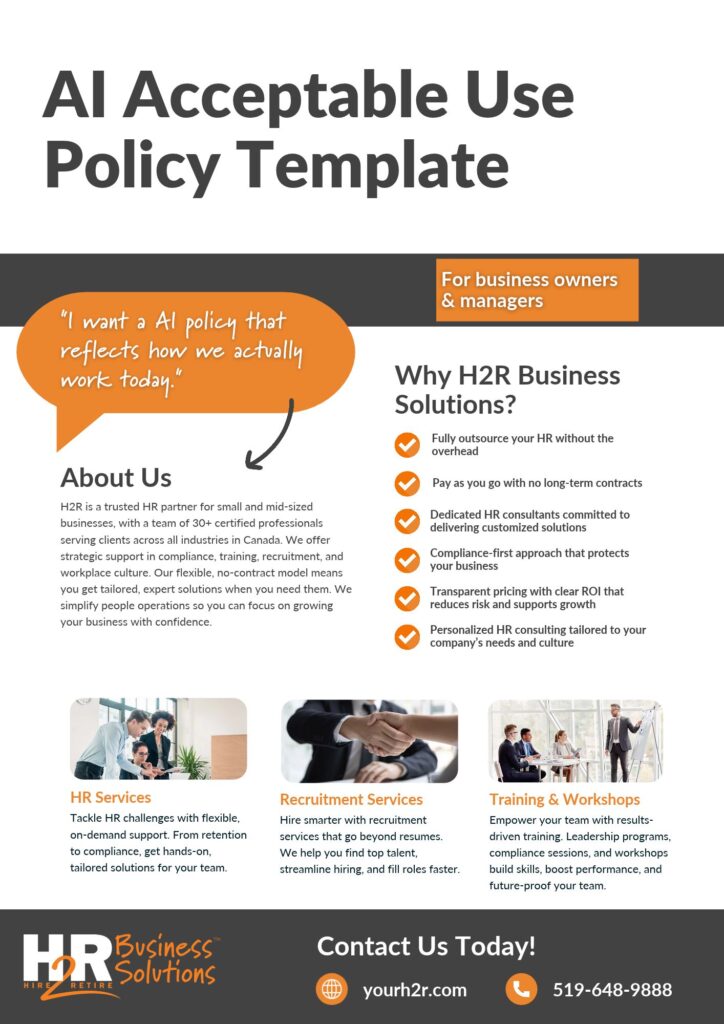
Free Download: AI Acceptable Use Policy Template
Need a starting point for your own AI policy? We created a copyable AI acceptable use policy template designed for small and medium-sized businesses.
The template includes:
- Ready-to-edit sections for approved AI tools, acceptable uses and prohibited uses
- Plain-language rules for handling confidential and personal information
- Clear expectations for reviewing AI-generated content
- Human review guidelines for hiring, performance management and other people decisions
- A simple process for reporting concerns or accidental misuse
- An employee acknowledgment section
Use the template as a starting point, then adjust it to fit your organization, existing policies and how your employees use AI.
Fill out the form below to get your free template!
Fill out this form to download our AI Acceptable Use Policy Template
There’s a good chance someone on your team used an AI tool this week. Maybe they asked ChatGPT to clean up a client email, or maybe they used Microsoft Copilot to summarize a long meeting. Some of them mentioned it to their manager, most didn’t think to.
For most small businesses, the real question isn’t whether employees are using AI. It’s whether they know what’s acceptable and what isn’t.
That’s the job of an AI acceptable use policy. It gives employees clear boundaries: which tools they can use, what they can use them for, what information stays out, and who checks the work before it goes anywhere important.
This guide covers what an AI acceptable use policy for small business should include, how to write one without turning it into a 20-page document, and the mistakes to avoid.
Table of Contents

AI Acceptable Use Policy FAQs
What is an AI acceptable use policy?
An AI acceptable use policy is a set of workplace rules that explains how employees can and cannot use AI tools. It covers approved tools, acceptable and prohibited uses, confidential and personal information, human review, disclosure and how to report problems.
Does a small business really need an AI acceptable use policy?
Yes, if employees use AI tools or could start using them. A short policy prevents common problems, like confidential information going into unapproved tools or unchecked AI content reaching customers. It doesn’t need to be long. Two to four pages is enough for most small businesses.
Should employees be allowed to use ChatGPT at work?
That depends on your business, the type of account and the information involved. Many businesses allow ChatGPT or similar tools for brainstorming, drafting and editing, with limits on confidential and personal information. Decide which tools and account types are approved, then make that clear in your policy.
What should employees never enter into an AI tool?
Employees should never enter passwords, login credentials or access codes. They should also avoid entering confidential business information, customer or employee information, or other personal information unless the tool is specifically approved for it and there is a clear business need.
Should employees disclose when they use AI?
Not for every use. Grammar help or brainstorming doesn’t need disclosure. Disclosure makes sense when AI produces a significant part of work someone is relying on, when a client contract requires it, when AI-generated images or media could be mistaken for real, or when AI is used in hiring.
Can employees use AI to write emails?
Yes, in most cases. AI is useful for drafting and improving emails. Employees should keep confidential and personal details out of unapproved tools, and they should review every email for accuracy and tone before sending it.
Can employees use AI for HR tasks?
AI can help with some HR tasks, like drafting job postings, policy outlines, or training materials. HR tasks often involve personal information and decisions about people, so they need extra care. Use approved tools only, remove identifying details where possible, and have a person review anything related to employees.
Can AI be used to make hiring decisions?
AI should not be the sole basis for a hiring decision. It can support tasks like drafting interview questions or organizing notes, but a person should make the decision and be able to explain it.
In Ontario, employers with 25 or more employees must disclose in publicly advertised job postings if AI is used to screen, assess or select applicants.
How often should an AI acceptable use policy be reviewed?
Review it at least once a year. Also review it when you approve new AI tools, when AI features are added to software you already use, when client contracts include new AI terms or when legal requirements change.

What is an AI Acceptable Use Policy?
An AI acceptable use policy is a written set of rules that tells employees how they can and cannot use artificial intelligence tools at work.
A good AI acceptable use policy is short enough to read in one sitting and clear enough that an employee can answer whether their usage is permitted in the moment, without booking a meeting.
Most workplace AI policies cover:
- Approved tools: Which AI tools employees can use for work
- Approved uses: The kinds of tasks AI is fine for
- Prohibited uses: What’s off limits
- Confidential information: What business information stays out of AI tools
- Personal information: How to handle information about customers, employees and other individuals
- Accuracy and fact-checking: What must be verified before it’s used
- Human review: Who checks AI-assisted work, and when
- Disclosure: When employees should say they used AI
- Intellectual property and copyright: What to watch for with ownership and third-party content
- Accountability: Who is responsible for the final work
- Reporting concerns: What to do when something goes wrong
Why Small Businesses Need an AI Acceptable Use Policy
The case for a workplace AI policy isn’t about preparing for the worst-case scenario. It’s about the everyday situations that come up when employees are busy, looking for ways to save time, and using AI to get work done faster.
| What happens | Why it's a problem | What the policy answers |
|---|---|---|
| A coordinator pastes a client contract into a free chatbot to summarize it. | Client information is now with a third party under terms your business never reviewed. | Which tools are approved, and for what information |
| AI drafts a customer reply with the wrong return window, and it gets sent. | The customer relies on incorrect information and you have to walk it back. | Who checks AI output before it's shared |
| A manager turns a few bullet points into a full performance review with AI and sends it with light edits. | The review may be generic, inaccurate or describe things the manager never observed. | Review expectations for people decisions |
| A hiring manager asks AI to rank resumes and only interviews the top three. | Qualified people may be screened out for reasons no one can explain. Unfair hiring practices may have been carried out by the AI without the organization’s knowledge. | AI can support employment decisions, not make them |
| An employee uploads a spreadsheet of staff names, phone numbers and absences to draft a work schedule. | Personal information goes into a tool nobody approved. No one knows what happens to that information afterwards. | How to handle personal information |
| Three departments use four different AI tools, and no one knows which ones the business pays for. | No visibility, inconsistent quality and duplicate costs. | Which tools are approved and how to request new ones |
None of these indicate bad intent, they happen because someone was trying to be efficient and had no guidance.
A policy gives employees a clear answer before these situations happen. When people know the rules, they’re less likely to hide their AI use or avoid useful tools out of uncertainty.

What Should an AI Acceptable Use Policy Include?
Here are the 12 sections most small businesses need. Some can be a single paragraph. The goal is clarity, not reaching a certain word count.
1. Purpose and Scope
Start by explaining why the policy exists and who it applies to.
The purpose should be positive and practical. Something like: “We support responsible AI use. This policy explains how to use AI tools safely and what to avoid.”
For scope, cover:
- Who: Employees, contractors, temporary staff and anyone else using company information
- Where: Company devices and personal devices used for work
- What counts as AI: Standalone tools like chatbots, plus AI features built into software you already use
2. Approved AI Tools
You don’t need to review every AI tool on the market. You need a reasonable process.
Most small businesses use one of these approaches:
- Approved list: A short list of tools employees may use for work
- Request process: Employees ask a named person before using a new tool
- Tiered approval: Some tools are approved for general use, and only certain business accounts are approved for confidential information
Before approving a tool, the person responsible should check a few basics:
- Does the vendor use your inputs to train its models? Can you turn that off?
- Where is the data stored, and how long is it kept?
- Is there a business account with admin controls?
- Does using it fit your client contracts and confidentiality obligations?
- Who in your company manages the account?
Free and personal accounts can have different data terms than business accounts. Check the terms for the specific version your team will use.
3. Acceptable Uses
Be specific. Employees respond better to real examples than broad statements.
| Acceptable use | Small business example |
|---|---|
| Brainstorming | Ideas for a team event, a newsletter topic or interview questions |
| Drafting internal content | A first draft of a meeting agenda or staff announcement |
| Summarizing non-confidential information | Summarizing a public industry article or a government web page |
| Creating first drafts | A draft proposal outline or a customer FAQ, reviewed before use |
| Improving writing | Fixing tone, grammar or clarity in your own email |
| Formatting | Turning messy notes into a checklist or table |
| Administrative support | Email templates, spreadsheet formulas, a draft process outline |
The employee remains responsible for reviewing the output. “The AI wrote it” doesn’t explain an error to a client, and reflects worse on your organization than just taking accountability.
4. Prohibited Uses
Keep this list practical. Employees should not:
- Enter confidential business information into an AI tool that isn’t approved for it
- Enter sensitive personal information without authorization
- Use AI as the sole basis for employment decisions, such as hiring, promotion, discipline, pay or termination
- Present AI-generated information as verified fact without checking it
- Use AI to impersonate another person, including their voice, image or writing style
- Create content that is discriminatory, harassing or otherwise breaks workplace policies
- Use AI in ways that violate company policies, client contracts, laws or professional obligations
Legal and professional requirements vary by province, industry and profession. Regulated professionals may also have guidance from their own regulatory body. Your policy doesn’t need to list every rule, it needs to tell employees to follow them and to ask when unsure.
How to Set Clear Boundaries for AI Use
Many businesses find a simple green, yellow and red system easier to follow than a long list.
Green
- Brainstorming with no confidential details
- Improving the wording of your own writing
- Summarizing public information
- Formatting notes or creating templates
Yellow
- Drafting customer-facing content
- Summarizing internal documents in an approved tool
- Using a new tool that isn't on the approved list yet
- Any HR-related task
Red
- Entering passwords or credentials
- Pasting client or employee data into unapproved tools
- Letting AI decide who gets hired, disciplined or let go
- Impersonating a real person
5. Confidential and Personal Information
This is the biggest practical risk for most small businesses, so give it its own section.
Before entering information into an AI tool, employees should ask:
- Is this tool approved for this type of information?
- Would I be comfortable if someone outside the company saw this?
- Can I get the same result without names or identifying details?
Your policy should name the types of information that need protection:
| Type of information | Examples |
|---|---|
| Customer information | Names, contact details, account history, complaints |
| Employee information | Performance notes, pay, medical notes, absences, home addresses |
| Financial information | Budgets, bank details, pricing models, unreleased results |
| Passwords and credentials | Logins, access codes, API keys |
| Internal business plans | Expansion plans, restructuring, sale discussions |
| Proprietary information | Processes, designs, formulas, source code |
| Contract information | Client agreements, supplier terms, negotiations |
| Personal information | Anything that identifies an individual |
Remove names and identifying details before asking AI for help. Canada’s federal, provincial and territorial privacy regulators have recommended using anonymized or de-identified information in prompts rather than personal information where possible.
Your AI policy shouldn’t repeat your whole privacy policy. It should point employees to your existing privacy, confidentiality, security and information-handling rules and make clear they still apply when AI is involved. Privacy obligations depend on your province and sector, so check what applies to your business.
6. Human Review and Accountability
AI output is a draft and should rarely be treated as the finished product. That said, not every task needs the same level of review.
| Review level | Examples | What review looks like |
|---|---|---|
| Basic | Brainstorming, internal notes, rewording your own email | The employee reads it and makes sure it says what they mean |
| Careful | Customer emails, marketing content, reports, proposals | Check facts, numbers, names and tone before sending |
| Heightened | Hiring, performance management, discipline, compensation, termination, customer-facing decisions, legal or compliance work | AI only supports the work. A person makes the decision, and a manager, HR or another qualified person reviews it |
For people decisions, the line is clear. AI can help organize interview notes or suggest clearer wording for a performance review. A person must make the decision and be able to explain it without pointing to the AI.
Follow the guidance of Canada’s privacy regulators: “Accountability for decisions rests with the organization, and not with any kind of automated system used to support the decision-making process.”
7. Accuracy and Fact-checking
AI tools produce text that sounds right, but that’s not the same as being right.
They can invent sources, mix up details, rely on outdated information or get the math wrong, all with the same confident tone. The Canadian Centre for Cyber Security advises users to review generated content and fact check it against credible sources.
Employees should verify:
- Numbers, dates and calculations
- Names, job titles and company details
- Quotes and sources (confirm they actually exist)
- Legal or regulatory statements, especially employment rules that differ by province
- Product details, pricing and company policies
- Anything that sounds a little too neat
Example: An employee asks AI to summarize your vacation policy for a new hire. The summary says three weeks of vacation after three years. Your actual policy says five years. The solution is simple: check the summary against the source document before sending it.
8. Transparency and Disclosure
Not every use of AI needs to be disclosed. For example, nobody needs a note saying AI fixed a typo. Disclosure makes sense when AI use affects trust, decisions or ownership.
Usually no disclosure needed:
- Grammar, tone or formatting help
- Brainstorming ideas
- Summaries for your own use
- Drafting templates you then rewrite
Disclosure may make sense when:
- A client contract or client instructions require it
- AI produced most of a deliverable a client or manager is relying on
- AI-generated images, audio or video that could be mistaken as real
- Customers are talking with an AI chatbot instead of a person
- AI is used to screen, assess, or select job applicants
- Your manager or client asks
On that hiring point, Ontario has a specific rule. Since January 1, 2026, Ontario employers with 25 or more employees must disclose in publicly advertised job postings if they use AI to screen, assess or select applicants. Employers in other provinces should check their own requirements.
Learn More: Stay Compliant with Bill 149: Changes Every Ontario Business Must Make
9. Intellectual Property and Copyright
This area is still developing, so keep your policy practical and avoid broad promises.
The Government of Canada has consulted on copyright in the age of generative AI, including questions about authorship and ownership of AI-generated content. In the meantime, a few sensible rules go a long way:
- Don’t upload material you don’t have the right to use, such as paid reports or another company’s content
- Don’t ask AI to copy or closely imitate a specific competitor’s content, brand or creative work
- Check with the right person before using AI for work where ownership matters, such as logos, product names or client deliverables where you transfer ownership
- Follow client contracts that restrict how their materials can be used
- Ask when you’re unsure about licensing, copyrighted material or third-party content
10. Security
AI tools are software. The usual security basics still apply, plus a few new ones:
- Passwords and credentials: Never enter them into an AI tool, for any reason
- Accounts: Use company accounts for approved tools, not personal accounts
- Internal systems: Don’t connect AI tools, plug-ins or browser extensions to company email, files, calendars or client systems without approval
- Confidential information: Follow the rules in the information section above
- Uploading files: Check what’s in a file before uploading it. Spreadsheets can have hidden tabs, and documents can have comments and tracked changes
- Account protection: Turn on multi-factor authentication, which the Canadian Centre for Cyber Security recommends
Connected AI tools deserve extra caution. A tool linked to your company inbox may be able to read far more than the specific emails you wanted help with.
11. Employee Responsibility
Using AI doesn’t transfer responsibility for the work to the AI tool.
If an employee sends it, submits it or relies on it, it’s their work. The same standards apply as any other work: accuracy, confidentiality, professionalism and respect for others.
State this plainly, without making it into a threat.
12. Reporting Problems
Tell employees exactly what to do when something goes wrong.
| Situation | What to do |
|---|---|
| You accidentally entered confidential or personal information | Report it right away to the named contact. Early reporting gives the business the best chance to respond. |
| AI produced inappropriate or offensive content | Don't use or share it. Report it if it's concerning. |
| You discovered inaccurate information that was already shared | Tell your manager so it can be corrected. |
| You believe someone is misusing an AI tool | Report it to your manager or HR. |
| You're not sure whether a use is allowed | Ask before you do it, not after. |
Make reporting feel safe. If employees expect to be punished for honest mistakes, they’ll stay quiet, and small problems will turn into bigger ones. Transparency and awareness allows you to keep AI usage and the risks surrounding it under control.
How to Create an AI Acceptable Use Policy in 7 Steps
Step 1: Find Out How Employees Already Use AI
Run a short anonymous survey or have a few open conversations with your team.
Ask:
- Which AI tools do you use for work?
- What tasks do you use them for?
- What kind of information do you enter?
- What would you use AI for if you knew it was allowed?
Make it clear that answers will not lead to punishment. You’ll likely find more AI use than you expected, and a few good ideas worth sharing.
Step 2: Identify Your Biggest Risks
Your risks depend on your business. For example:
- An accounting practice handles client financial records
- A dental or physio clinic handles health information
- A manufacturer has proprietary designs and pricing
- A marketing agency works with client content and contracts
Pick your top three to five risks. Your policy should spend most of its words on those.
Step 3: Decide Which Tools Are Approved
Start small. One to three approved tools is plenty for most small businesses. Use business accounts where possible, set up a simple request process for new tools, and name the person responsible for approvals.
Step 4: Define Acceptable and Prohibited Uses
Use what you learned in Step 1. When your examples match real tasks, employees recognize their own work in the policy. The green, yellow and red approach works well here.
Step 5: Set Expectations for Human Review
Match the review level to the risk. Name who reviews high-stakes work, especially anything involving hiring, performance, pay, or customers.
Step 6: Write the Policy in Plain Language
Aim for two to four pages. Use short sentences and explain the reason behind key rules. People follow rules better when they understand their purpose.
Before rolling the policy out, test it. Give the draft to two or three employees and ask what they’d do in a few real scenarios. If their answers don’t match what you intended, rewrite that section.
Step 7: Train Employees and Review the Policy Regularly
A policy nobody has read doesn’t protect anyone. Plan for:
- A short training session using real examples from your workplace
- A signed acknowledgment from each employee
- Adding the policy to onboarding for new hires
- A review at least once a year, and whenever you add tools, sign new client contracts with AI terms, or requirements change
Need help developing your AI policy?
H2R Business Solutions Inc. works with small and growing businesses on practical AI use policies and safe, effective AI use training for employees. We start by looking at how your team actually uses AI, then build rules and training that fit your business.
No contracts. Just to help you need, when you need it.
Enjoyed this article? Share this post!
Follow H2R on Social